Discover How This AI Video Platform Combines Business Prospecting, Personalized Video Creation, and Client Delivery
Have you ever thought about starting an online service business but struggled to decide what to sell, where to find customers, or how to deliver a service without spending hours learning complicated software?
Perhaps you have considered offering video creation services to local businesses. You know that businesses use videos to explain their services, promote products, attract attention, and communicate with potential customers. Yet finding clients, producing professional-looking videos, and convincing business owners to pay for your work can seem like a daunting challenge.
That is where Explaindio 5 AI enters the picture.
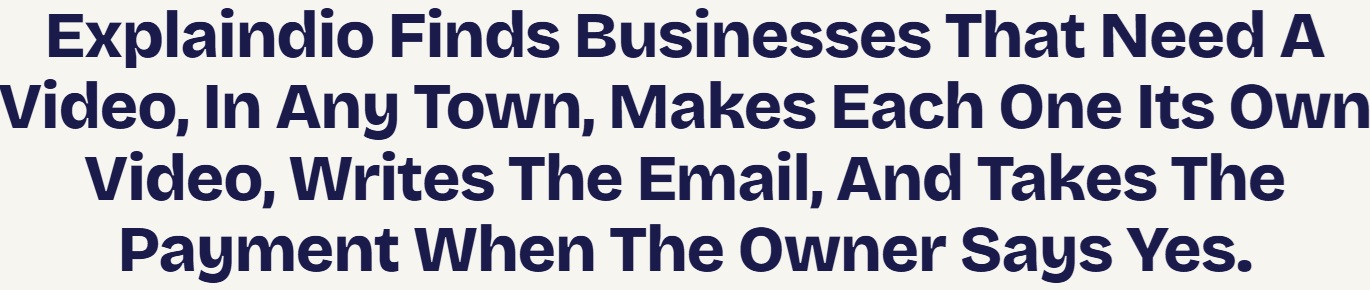
Rather than focusing exclusively on video editing, Explaindio 5 AI combines AI-assisted video creation with tools designed to help users discover potential business clients, generate personalized video samples, prepare outreach emails, and deliver finished videos after payment.
The concept is straightforward: instead of approaching a business owner with nothing more than a sales pitch, you can create a sample video tailored to that business and use it to demonstrate what you could offer.
Could that make selling video services easier?
Possibly. But there are important questions to consider before purchasing. How does the software work? What features are included? Is the advertised front-end offer sufficient for beginners? Are the optional upgrades necessary? And can the platform genuinely help you establish a sustainable video service business?
In this detailed Explaindio 5 AI review, we’ll examine its advertised features, pricing, bonuses, potential business applications, advantages, disadvantages, and limitations so you can decide whether it deserves a place in your online business toolkit.
Check Out Explaindio 5 AI
Explaindio 5 AI Review: At a Glance
| Category | Details |
|---|---|
| Product | Explaindio 5 AI |
| Creator | Andrew Darius and the Explaindio team |
| Main purpose | AI-assisted explainer video creation and business prospecting |
| Intended audience | Freelancers, online entrepreneurs, marketers, and agencies |
| Business research | Search for potential clients by business type and location |
| Video creation | Generate personalized sample videos and edit video projects |
| Outreach tools | AI-assisted email drafting and outreach tracking |
| Client delivery | Watermarked sample pages, payment links, and delivery workflow |
| Video assets | Advertised animated templates, motion graphics, and stock media |
| Commercial use | Commercial license advertised; check the applicable terms |
| Front-end pricing | Advertised as a one-time purchase, with promotional pricing |
| Guarantee | 30-day money-back guarantee advertised |
| Official sales page | https://explaindio.ai/fe/ |
What Is Explaindio 5 AI?
Explaindio 5 AI is a video creation platform built around an interesting business idea: help users produce explainer videos while making it easier to find potential customers for those videos.
Most video editing applications concentrate on the production process. You import footage, arrange scenes, add text, record or generate narration, and export your finished project.
Explaindio 5 AI aims to go further by connecting video creation with a prospecting and sales workflow.
Users can search for businesses, review their websites, identify potential opportunities for video content, generate a sample video, prepare an outreach email, and present the sample through a dedicated page.
The business owner can view the sample and use a payment link supplied by the user. Once payment has been confirmed, the user can authorize delivery of the finished video.
The platform also includes an editing studio intended for creating and refining videos beyond the initial sample-generation process.
This makes Explaindio 5 AI particularly interesting for people who want to explore a video service business rather than simply create videos for their own social media accounts.
For example, a freelancer might offer promotional videos to restaurants, explainer videos to professional service providers, or product presentations to small online businesses.
The software is intended to help organize several parts of that process.
It is important, however, to distinguish between what software can automate and what still requires human effort. Explaindio 5 AI may help you research prospects and prepare video content, but it cannot guarantee that businesses will respond, purchase, or become repeat customers.
Why Is Explaindio 5 AI Different From a Typical AI Video Maker?
AI video software has become increasingly varied. Some tools specialize in cinematic clips, others focus on faceless YouTube content, and some are designed to turn text into social media videos.
For a broader look at this category, you can also read our existing review:
Viral Revenue AI is another option to explore if your primary interest is AI-assisted content creation and video marketing.
Explaindio 5 AI takes a different approach by placing business prospecting and personalized sample creation near the center of its advertised workflow.
Instead of beginning with the question, “What kind of video do I want to make?”, its business-oriented workflow encourages you to ask:
- Which businesses could benefit from a video?
- Does their current website explain their services clearly?
- Could a short explainer video help communicate their offer?
- Can I create a relevant sample to demonstrate my service?
- How can I present the sample professionally and invite the business to purchase?
This is a meaningful distinction.
A video editor helps you create the deliverable. Explaindio 5 AI attempts to help you connect that deliverable with a potential customer.
For someone starting a freelance service, that combination may be more useful than a video editor alone.
How Does Explaindio 5 AI Work?
The advertised process can be divided into four main stages.
Step 1: Search for Potential Business Clients
You begin by selecting a business category and location.
Depending on the data available, you might search for restaurants, dental practices, gyms, hair salons, real estate agencies, plumbers, roofers, or other local service providers.
The business finder is intended to help identify potential prospects without requiring you to build every list manually.
The platform also advertises website scanning that can flag characteristics such as a lack of visible video content or other potential website improvements.
This information can help you decide which businesses are worth investigating.
However, a business without a video on its main website is not automatically a good prospect. It may already use videos on social media, have no budget for additional marketing, or simply not need the service you intend to offer.
Treat the results as a starting point for research rather than a ready-made list of guaranteed buyers.
Step 2: Generate a Personalized Sample Video
After choosing a business, you can use the platform’s advertised sample-generation workflow to create an explainer video based on information from its website.
For instance, a sample for a restaurant might introduce its dining options. A video for a home service company might explain its services and encourage visitors to request a quote.
The purpose is to show the potential client something relevant to their business.
This can be more tangible than simply telling a business owner that you can create videos. A relevant sample gives them an opportunity to see your proposed approach before deciding whether to hire you.
Nevertheless, AI-generated videos need to be reviewed. Check the script, business information, visual choices, spelling, voiceover, and call to action before presenting the sample to a real prospect.
Step 3: Present the Sample and Contact the Business
The platform advertises sample pages that allow business owners to view a video with a watermark.
You can prepare an outreach email to introduce the sample and explain why you created it.
The email writer can help you get started, while the outreach log is intended to help you keep track of contacts and replies.
The standard workflow still involves human involvement. You should review the message, make sure it is appropriate, and send it through your own email account.
Personalized outreach can make your offer more relevant, but it should remain honest and respectful. Avoid implying that the business requested your sample or that the video will produce specific marketing results unless you have evidence to support that claim.
Step 4: Collect Payment and Deliver the Finished Video
Once a business expresses interest, you can use your own payment link.
The website describes a workflow in which the customer views the sample, uses the supplied payment link, and indicates that payment has been made. You then verify that the funds have actually arrived and authorize delivery of the full video.
This approach gives you control over your service pricing and payment arrangements.
You should still verify how the payment and delivery process works before relying on it with customers. A payment notification from a customer is not a substitute for confirming that the funds have arrived in your payment account.
Taken together, these steps aim to connect prospect research, video creation, outreach, and delivery within one workflow.
Watch The Demo:
Explaindio 5 AI Features: What Do You Actually Get?
Let’s look at the advertised features individually and consider their practical value.
1. Business Finder
Finding suitable prospects can be one of the biggest obstacles when starting a service business.
The Explaindio 5 AI business finder is designed to search by business category and location, with the advertised front-end offer allowing up to 50 businesses per search.
This can help you build an initial list of potential customers without starting from scratch.
For example, you might focus on independent restaurants in one city, then move on to another category after you understand the needs of your first market.
A focused approach is usually more manageable than trying to serve every industry at once.
The quality of the results matters more than the size of the list. You want relevant businesses that could reasonably benefit from your offer, not simply as many names as possible.
2. Website Scanning
The website-scanning feature is intended to identify potential opportunities by examining business websites.
For example, a business might have detailed service descriptions but no obvious explainer video. That could give you an idea for a short video introducing its main service.
The tool may also flag other website characteristics that you can investigate.
However, automated checks are not perfect. A video might be embedded in a location the scanner misses, or a business might have an active video strategy on social media.
Use the scan as a research aid. Verify the information before mentioning it in an email or sales conversation.
3. Contact Finder
The contact finder is intended to help locate contact information published on business websites.
This can save time during prospect research, especially when you are working with multiple businesses.
However, you should verify contact details before using them. Make sure you contact an appropriate business address and comply with applicable privacy and email marketing rules.
Contact information being publicly accessible does not mean that every type of unsolicited message is permitted.
4. One-Click Sample Video Generation
This is one of the most important features in the Explaindio 5 AI offer.
A process that uses business website information to create a personalized sample video.
For a freelancer, the potential advantage is the ability to demonstrate a service rather than merely describe it.
Imagine approaching a local roofing company with a short video introducing its services and showing how an explainer could communicate its value to prospective customers.
That sample may give the owner a clearer idea of what you can offer.
The output will not necessarily be perfect, however. Website content may be incomplete, images may not be suitable, and AI-generated narration can require editing.
Review each sample carefully before presenting it as an example of your work.
5. Watermarked Sample Pages
The sample is watermarked and restricted from downloading through the advertised workflow. You can also add your own payment link.
This gives you a practical way to present a demonstration without automatically handing over the finished deliverable.
It may also make your service feel more organized than sending an unexplained video file as an email attachment.
Before using the feature commercially, confirm the page’s appearance, the customer’s viewing experience, and the steps involved in delivering the full video.
6. AI Email Writer
The email writer is intended to draft outreach messages that accompany your video samples.
For people who are uncomfortable with sales writing, this may provide a useful starting point.
Still, avoid sending every message unchanged. A good email should explain why the sample is relevant, make it easy for the recipient to view it, and provide a clear next step without pressuring the recipient.
Short, relevant communication is generally preferable to a long message filled with exaggerated claims.
7. Outreach Log
The outreach log is intended to help you record your contacts and keep track of replies.
This becomes more important as your prospect list grows.
Without a tracking process, you can easily forget which businesses received samples, who responded, and which conversations need attention.
For a small operation, a simple built-in log may be sufficient. If you eventually manage many clients or larger campaigns, you may want a dedicated customer relationship management system.
8. Payment and Delivery Workflow
Explaindio 5 AI advertises a way to connect sample viewing with payment and delivery.
You provide your own payment link and decide how much to charge for the service. You verify payment and then authorize delivery.
This can help you establish a basic workflow for a small video service.
However, you remain responsible for pricing, customer communication, revisions, refunds, payment disputes, and delivering work that meets the agreed requirements.
9. Video Editing Studio
The product also includes a video editing studio.
2,200 animated templates, five Video Blueprints, whiteboard drawing elements, moving text, and motion graphics.
These assets can be useful for producing:
- Business explainer videos.
- Promotional presentations.
- Product introductions.
- Service demonstrations.
- Educational videos.
- Marketing videos for websites.
- Short promotional content for social platforms.
The editing studio matters because you are not limited to generating a sample and sending it unchanged. You can refine the content and use the editor for other projects.
How much creative control you will have in practice depends on the editing workflow and the complexity of the videos you want to produce.
10. Stock Photo and Video Access
The sales page says users can search stock photo and video libraries within the editor and add those assets without using Explaindio credits.
Stock media can help fill visual gaps when a business website does not contain suitable images or footage.
The key is choosing material that supports the message. Random stock footage can make a video look generic, so review each scene and check the applicable licensing terms for commercial use.
11. Optional Desktop Application
Explaindio 5 AI is advertised as a browser-based platform with an optional desktop application for Windows, macOS, and Linux.
The desktop app uses the same editor, projects, templates, and AI functionality, and offers local rendering without an additional rendering charge. An internet connection is still required.
This may appeal to users who prefer working through a desktop application.
Check the current system requirements and compatibility details before installing it, especially if you intend to use the software for regular client work.
12. Commercial License
The front-end offer advertises a commercial license for creating videos for clients.
That is relevant if you plan to sell video production services rather than use the software exclusively for personal projects.
However, read the actual license terms. A commercial license should not automatically be interpreted as permission to resell the software, redistribute every included asset independently, or use third-party materials without restrictions.

How Explaindio 5 AI Could Fit Into Your Online Business
Explaindio 5 AI may be particularly useful for people who want to offer a defined service rather than simply experiment with AI video creation.
Here are several possible applications.
Local Business Video Services
Choose a niche such as restaurants, dental practices, salons, gyms, or home service companies.
Create a service package describing what clients receive, then use the prospecting workflow to identify businesses that might benefit.
You could offer a short explainer video, a promotional video, or a collection of videos for different services.
The key is to make the offer specific. Business owners need to understand what they are purchasing and how the deliverable will be used.
Video Services for Existing Clients
If you already provide website design, SEO, or social media marketing, video production could become an additional service.
A business that already pays you to maintain its website might also need a video explaining a new service or introducing a product.
Having an existing client relationship may make it easier to understand the business’s needs and propose a relevant video.
Promotional Videos for Digital Products
Affiliate marketers and digital product creators can use explainer videos to introduce software, courses, apps, and other products.
If you already publish affiliate reviews, a video may help explain a product’s main features and use cases.
For another example of AI-assisted affiliate video content, read our existing SuperAffiliates AI review.
SuperAffiliates AI targets a different workflow focused on creating affiliate review content, while Explaindio 5 AI emphasizes business prospecting and personalized explainer video samples.
Freelance Marketplace Services
You could offer explainer video creation through freelance marketplaces or your own website.
Instead of advertising that you can create every possible kind of video, start with a clearly defined service, such as short animated explainers for local service providers.
Your samples can help prospective clients understand your style before placing an order.
Competition, pricing, platform rules, and the quality of your work will still influence your results.
Agency and Client Workflows
Small agencies may find the combined prospecting and video creation approach useful when adding video production to their service offerings.
However, agencies should carefully check the front-end limits and any optional upgrade terms against their expected workload.
It is usually better to validate the basic process with a manageable number of clients before investing in more advanced features.
How Much Could You Charge for Explainer Videos?
There is no universal price for a video service.
Your pricing will depend on the complexity of the video, the length, the amount of customization required, your market, the client’s needs, and the value of the finished deliverable.
You might consider several service packages:
| Example package | Possible deliverables |
|---|---|
| Starter video | One short explainer with basic customization |
| Business promotion | One explainer video with a tailored call to action |
| Marketing bundle | Several videos for different services or promotions |
| Monthly video package | An agreed collection of videos delivered over a month |
These are package ideas, not guaranteed market prices.
Before setting your rates, estimate how much time you will spend researching prospects, reviewing the generated video, editing scenes, communicating with the customer, making revisions, and delivering the final files.
Remember that software automation does not eliminate the cost of your time.
Most importantly, purchasing Explaindio 5 AI does not guarantee customers, sales, or income. Your results depend on the quality of your offer, the market you target, your outreach, your pricing, and the service you deliver.
Explaindio 5 AI Pricing: What Does It Cost?
The offer has been promoted at $27, with the stated price potentially rising up to $47 as the promotion progresses.
Because launch offers can change, check the live sales and checkout pages for the current price.
See the Current Explaindio 5 AI Offer
What Is Included in the Front-End Offer?
The advertised front-end package includes:
- Business finder with searches by business type and location.
- Website scanning and contact lookup.
- 800 credits for sample video creation.
- Watermarked sample pages.
- AI-assisted outreach email drafting.
- Outreach tracking.
- Payment and delivery workflow using your own payment link.
- Explaindio video editing studio.
- More than 2,200 advertised animated templates and five Video Blueprints.
- Stock photo and video access within the editor.
- Optional desktop application.
- Commercial license.
- Sixteen advertised bonuses.
- A 30-day money-back guarantee.
Estimates that 800 credits can produce approximately 60 or more sample videos. This is an estimate, not a guaranteed quantity. Actual credit usage may vary depending on the workflow and features used.
Are There Optional Upgrades?
The sales material describes optional upgrades for users who need additional capacity or features.
These include:
Explaindio 5 Pro: Advertised as offering more searches and credits, longer videos, premium templates, and additional language and voice options.
Fix-It Pack: Intended to provide additional help addressing website issues identified during prospect research.
Agency: Intended for users who want additional client-oriented branding and workspace features.
Done-For-You Leads: An optional offer intended to provide additional business leads.
These upgrades are not described as mandatory for the basic front-end workflow. Their usefulness depends on what you intend to do with the software.
Annual Explaindio 5 AI Bundle. Independent launch coverage has reported a promotional price of $197 per year, with a higher reference price of $297, but the current offer may differ. Check the live checkout for the actual price, renewal terms, and included features.
My recommendation: If you are new to Explaindio 5 AI, start by evaluating the front-end. Test its prospecting tools, create sample videos, and decide whether the workflow fits your needs before committing to optional upgrades or recurring plans.
Explaindio 5 AI Bonuses
The sales page advertises sixteen bonuses intended to help users get started with prospect research, video creation, outreach, and client delivery.
The listed resources include:
- The First Week Plan — A suggested schedule for getting started.
- The Local Niche Picker — Ideas for selecting a business category.
- The Sample Video Polish Guide — A checklist for reviewing and improving generated videos.
- The Outreach Rules Made Simple — Guidance on responsible business outreach.
- What Can a Business Do With Its Video? — Ideas for potential video applications.
- The Client Delivery Kit — Templates for delivery messages and client communication.
- The Map Listing Video Guide — Guidance related to adding video to a business listing.
- The Freelance Marketplace Starter — Ideas for offering video services on freelance platforms.
- The Phone and Square Video Guide — Guidance for preparing vertical and square video versions.
- The Second 100-Prompt Video Vault — Additional video briefs and ideas.
- 30 More Fill-in-the-Blank Video Scripts — Script structures that can be adapted for different businesses.
- The Narration Rewrite Pack — Suggestions for improving narration.
- The Caption and On-Screen Text Swipe Pack — Ideas for captions and screen text.
- The Opening Picture Prompt Pack — Prompts for developing opening visuals.
- The Service Packages One-Pager — A template for presenting service packages.
- The 15 Follow-Up Replies — Suggested follow-up messages and responses.
These resources may be useful for beginners who want more guidance than a software dashboard alone provides.

Explaindio 5 AI Pros and Cons
Before purchasing, consider both the potential advantages and the limitations.
Pros
1. Combines prospecting and video creation
The platform aims to connect business discovery with personalized video samples, reducing the need to coordinate every step through separate tools.
2. Personalized samples can make a service easier to demonstrate
Showing a prospect an example created for their business may communicate your offer more clearly than a generic portfolio link.
3. Includes a video editing studio
The templates, motion graphics, whiteboard elements, and stock media give users a way to refine samples and create other video projects.
4. Provides outreach support
The email writer and outreach log can help organize the prospecting process.
5. Includes a payment-and-delivery workflow
Using your own payment link and verifying receipt before delivery can make a small service operation more structured.
6. Commercial license is advertised
This is relevant to freelancers and agencies intending to create videos for paying clients, subject to the actual license terms.
7. Optional desktop application
The desktop app provides an alternative working environment, and the local rendering is available without an additional rendering charge.
8. Front-end is advertised as a one-time purchase
The main offer does not require a recurring subscription, although optional upgrades and bundles have separate billing arrangements.
Cons
1. AI-generated videos require review
Scripts, images, narration, and business details may need correction before a sample is suitable for a real client.
2. The front-end has limited credits
The included 800 credits may be sufficient for an initial evaluation, but users planning larger campaigns should understand the credit system and the cost of additional capacity.
3. The sample workflow has limitations
English narration with four US English voices for the one-click sample workflow. Additional language and voice options are associated with Pro.
4. Business data coverage varies
Some locations may return fewer suitable prospects, which can limit the usefulness of the business finder for certain markets.
5. Outreach still requires human involvement
You need to review and send messages, answer questions, follow up appropriately, and handle the sales conversation.
6. No guaranteed customers or income
A personalized sample may help demonstrate a service, but it cannot guarantee that a business needs it or is willing to pay.
7. Optional upgrades can increase the total cost
The front-end price is not the only cost to consider if you later choose additional features or an annual bundle.
8. Results depend on execution
Your niche selection, pricing, communication, editing, and ability to deliver good work remain essential.
Explaindio 5 AI vs. Other AI Video Tools
Not every AI video product serves the same purpose. Choosing the right tool depends on what you want to accomplish.
For example, you may want to produce cinematic videos, create faceless social media content, make whiteboard animations, or build a service business offering videos to clients.
These are related but different needs.
If your priority is creating finished cinematic videos, you may want to compare Explaindio with a tool that focuses more heavily on video production and editing.
The StudioCut review provides a useful comparison point for readers who are more interested in producing cinematic videos than finding business prospects.
If your priority is creating faceless videos and growing a content channel, you can also direct readers to your Vydora AI review.
Vydora AI focuses on AI-assisted video content creation, while Explaindio 5 AI emphasizes the process of finding potential business clients and preparing personalized video samples.
For whiteboard and doodle-style videos, you can also link to your InstaDoodle review.
InstaDoodle is a more directly relevant comparison for readers interested in whiteboard animation and doodle-style video creation.
These comparisons help you choose a tool based on their actual requirements rather than assuming every AI video application does the same job.
Who Should Consider Explaindio 5 AI?
Beginners Exploring a Video Service Business
If you want to explore offering video services but lack a portfolio, the sample-generation workflow could provide a way to prepare demonstrations.
You will still need to learn how to identify suitable prospects, communicate your offer, and deliver work professionally.
Freelancers Who Already Offer Digital Services
Website designers, SEO specialists, and social media marketers may be able to add video production to their existing service offerings.
Because these professionals already work with businesses, they may have a clearer idea of what kinds of videos their customers need.
Small Marketing Agencies
Agencies that create promotional content may appreciate having prospecting and production tools in one workflow.
However, agencies should check the limits, license, and optional upgrade terms against their workload before relying on the software for regular client delivery.
Affiliate Marketers and Digital Product Creators
If you promote software or digital products, the video editor may help you create promotional content.
Make sure your use of product names, logos, screenshots, and other brand assets complies with the relevant promotional terms. Also ensure your video claims accurately represent the product.
Users Who Prefer Templates and Guided Workflows
The templates and sample-generation features may appeal to users who prefer a guided process over starting every video project from scratch.
The best fit is likely someone who values efficiency but is still willing to review and improve the output.
How to Test Explaindio 5 AI Before Committing
If you decide to purchase, use the advertised guarantee period to evaluate the actual software rather than relying solely on promotional examples.
Test 1: Check Your Target Market
Search a business category and location you understand. Review the results and assess whether the businesses are relevant, their websites are accessible, and the data is useful for your planned service.
Test 2: Generate Several Sample Videos
Create samples for different businesses. Check the script, images, narration, spelling, pacing, and call to action.
Do not assume that a video is ready for delivery simply because it was generated automatically.
Test 3: Try Editing the Samples
Make changes to the text, images, colors, and voiceover. Check whether you can produce an output that meets your standards and the requirements of your intended clients.
Test 4: Review the Outreach Workflow
Read the drafted emails and assess whether they are clear, relevant, and professional. Understand how the outreach log works and how you will manage replies and opt-outs.
Test 5: Verify Payment and Delivery
Understand how to add your payment link, confirm payment, and authorize delivery. Do not rely on a customer notification alone as proof that the funds have arrived.
Test 6: Calculate Your Actual Costs
Review the included credits, optional upgrades, external costs, payment-processing fees, and time required for editing and client communication.
This will help you decide whether the software is practical for your intended business model.
Frequently Asked Questions About Explaindio 5 AI
What is Explaindio 5 AI?
Explaindio 5 AI is an AI-assisted video creation and business prospecting platform. It is designed to help users find potential business clients, create personalized explainer video samples, draft outreach emails, and organize payment and delivery.
Can Explaindio 5 AI create videos automatically?
One-click sample video generation using information from a business website. Users can also edit the output in the included studio. Review generated content before using it commercially.
Do I need video editing experience?
The templates and sample-generation workflow are intended to reduce manual work. Some editing knowledge can still be useful when improving scripts, choosing visuals, and preparing a professional deliverable.
Can I use Explaindio 5 AI to sell videos to businesses?
The front-end offer advertises a commercial license for creating videos for clients. Check the actual license terms and make sure you can meet the requirements of each client.
Does Explaindio 5 AI guarantee customers or income?
No. Results depend on your niche, market, outreach, pricing, and ability to deliver valuable work.
How many sample videos can I create?
The front-end offer includes 800 credits. It estimates that this can produce approximately 60 or more sample videos, but actual usage can vary.
Does Explaindio 5 AI send outreach emails automatically?
The standard advertised workflow helps draft emails for you to review and send. You remain responsible for the outreach process and should comply with applicable marketing rules.
Is Explaindio 5 AI a one-time purchase?
The front-end is advertised as a one-time purchase with no required monthly subscription. Optional upgrades and bundles have separate billing arrangements. The advertised bundle is annual, so check the current checkout terms.
Is there a money-back guarantee?
The official sales page advertises a 30-day money-back guarantee. Review the terms associated with your specific purchase and retain your order information.
Does Explaindio 5 AI work outside the United States?
Isers can search for businesses in other countries, but data coverage varies by location. Test your intended market before building your business around the prospecting feature.
Is the desktop application required?
No. The platform is browser-based and offers an optional desktop app for supported Windows, macOS, and Linux systems.
Do I need to purchase the Explaindio 5 AI Bundle?
Not necessarily. The front-end includes the core advertised workflow. The bundle is intended for users who want additional features and resources. Compare the ongoing cost with the capabilities you will actually use before upgrading.
Final Verdict: Is Explaindio 5 AI Worth Considering?
Explaindio 5 AI offers an interesting combination of features because it brings together video creation and the process of finding potential customers for that content.
Its business finder, website scanner, sample video generator, email writer, outreach log, and payment-and-delivery workflow could help freelancers and digital marketers organize a video service business.
The included editing studio also gives users a way to refine samples and create other marketing videos.
However, the product is not a substitute for business judgment, sales skills, or quality control.
It cannot guarantee that businesses will respond, that prospects will buy, or that a particular service price will be accepted. The generated videos require review, data coverage varies, and outreach still takes time. Optional upgrades can also increase the total cost.
For someone who genuinely wants to offer explainer video services, the front-end offer may be a reasonable starting point for evaluating the workflow, provided the current price and terms suit their budget.
I would not automatically recommend purchasing every upgrade or the annual bundle. Start with the features you need, test the workflow, and expand only if the additional capabilities solve a real problem.
My bottom line: Explaindio 5 AI is worth investigating if you want to streamline personalized explainer video production and prospecting. Its potential value lies in helping you organize the work—not in promising a shortcut to guaranteed income.
Ready to Explore Explaindio 5 AI?
If the workflow fits your plans, review the current offer and confirm the included features, credit limits, license terms, and refund policy before making your decision.