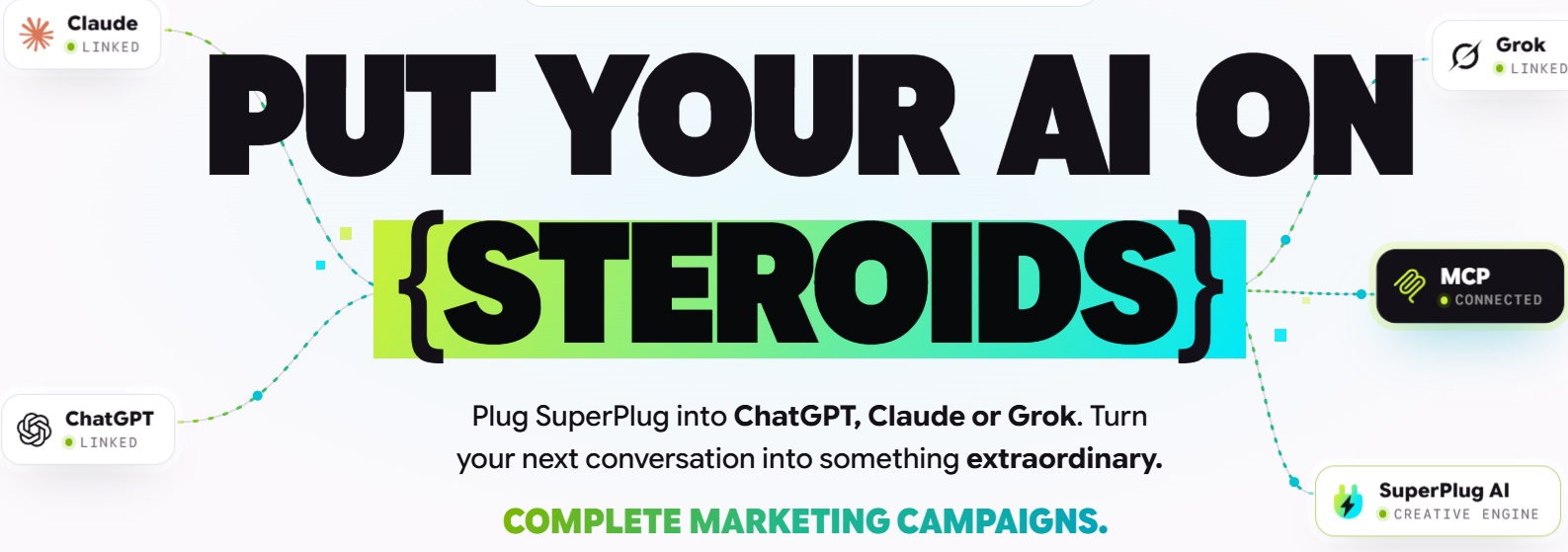
Discover how SuperPlug AI connects ChatGPT, Claude, or Grok to tools for creating videos, websites, graphics, voiceovers, music, presentations, and marketing content.
There is an interesting problem with the way many of us use AI today.
We can ask ChatGPT to write the script.
Then we open another application to create the video.
Another tool handles the graphics.
Another creates the voiceover.
Another generates music.
Another builds the landing page.
Then we download everything, rename files, move them between folders, upload them somewhere else, and start the process again when the client asks for a revision.
The artificial intelligence is doing more of the creative work.
But we are still doing the administrative work.
SuperPlug AI is designed around a very different idea.
Instead of making you jump between a collection of creative applications, SuperPlug connects production capabilities to ChatGPT, Claude, or Grok through an MCP-based workflow. You can describe what you want inside your AI conversation, have SuperPlug create the asset, review it, and then ask for changes in the same conversation.
That could mean asking for:
- A promotional video
- A product advertisement
- A landing page
- Social media graphics
- A voiceover
- Background music
- A presentation
- A YouTube video
- A product image
- A talking-photo video
- A lead-generation page
- A series of marketing assets based on an existing article
And potentially much more.
For online marketers, freelancers, affiliate marketers, agencies, bloggers, creators, and small businesses, that is an interesting proposition.
But there is an important question:
Does SuperPlug AI actually make AI-assisted business production easier, or does it simply add another layer of complexity?
This review takes a closer look at what SuperPlug AI offers, how it works, pricing, credits, integrations, upgrades, commercial use, potential business applications, advantages, limitations, and who should consider it.
SuperPlug AI at a Glance
| Feature | SuperPlug AI Premium |
|---|---|
| Product type | AI-connected production and marketing platform |
| Core concept | Connect production tools to ChatGPT, Claude, or Grok |
| Videos | Yes |
| Websites | Yes |
| Graphics | Yes |
| Product images | Yes |
| Voiceovers | Yes |
| Music | Yes |
| Presentations | Yes |
| Blog-to-video | Yes |
| Social content | Yes |
| Guided workflows | 50+ advertised |
| Brand kits | 3 |
| Cloud storage | 10GB |
| Creation credits | 2,500/month |
| MCP connections | Current feature list says 500/month; FAQ says 200/month |
| Simultaneous connections | Up to 5 |
| Users | 1 |
| Commercial license | Included |
| Watermark-free exports | Advertised |
| Front-end price | $47 one-time |
| Coupon | SUPERPLUG — advertised 10% discount |
| Refund | 14-day money-back guarantee |
| Optional upgrades | Pro Unlimited, Max, Agency, Teams |
| Bundle | Everything Bundle, advertised at $397 before coupon |
The most important thing to understand is that SuperPlug AI is not intended to replace ChatGPT, Claude, or Grok.
It is designed to extend what those AI assistants can do.
Your AI remains the conversational interface.
SuperPlug becomes the production layer.
What Is SuperPlug AI?
SuperPlug AI is a cloud-based production platform that connects creative tools to AI assistants such as ChatGPT, Claude, and Grok.
The vendor describes it as a production studio you can talk to.
Instead of asking an AI assistant to write instructions for a video editor, then copying those instructions into another application, SuperPlug attempts to let the AI directly initiate the production workflow.
For example, imagine you’re preparing a product launch.
You could tell your AI:
“Create a promotional video for this product using the attached product photo.”
Then, rather than receiving only a script, the SuperPlug workflow is designed to create the actual production asset.
You might then ask:
“Now make a vertical version for Reels.”
Then:
“Create matching social graphics.”
Then:
“Build a landing page using the same offer.”
The central idea is continuity.
The original conversation contains the context.
You aren’t repeatedly explaining the product, audience, offer, and creative direction to five different applications.
That is the problem SuperPlug is attempting to solve.
What Does MCP Have to Do With SuperPlug AI?
If you’ve been following AI developments, you’ve probably encountered the term MCP, or Model Context Protocol.
You don’t need to be a developer to understand the basic idea.
MCP provides a standardized way for an AI assistant to interact with external tools and services.
SuperPlug uses this concept to connect its production capabilities with ChatGPT, Claude, and Grok.
In practical terms, that means you can continue using a conversational AI interface while giving that AI access to additional production capabilities.
This is one reason SuperPlug is potentially more interesting than another standalone AI image or video generator.
The goal isn’t simply:
“Give me an AI video.”
It’s:
“Take this business idea and help me produce the assets required to execute it.”
That broader workflow is where the product becomes relevant to online business.

How SuperPlug AI Works
The advertised workflow is built around three basic steps.
Step 1: Connect Your AI
SuperPlug provides instructions for connecting the platform with a supported ChatGPT, Claude, or Grok account.
The exact capabilities available can depend on the AI account and connection features you have access to. The vendor explicitly says that users need an account supporting the required connection features.
Once connected, SuperPlug becomes available to your AI conversation.
Step 2: Tell the AI What You Need
You can begin with:
- An idea
- A script
- A product photo
- Business information
- An existing website
- A blog article
- A reference image
- Other supported content
You then describe the result you want.
For example:
“Turn this blog post into a short educational video.”
Or:
“Create a promotional campaign for this product.”
Or:
“Build a landing page for this service and create three social graphics to promote it.”
The platform’s guided workflows are designed to make this process easier for people who don’t want to start from a completely blank prompt.
Step 3: Review and Refine
This is arguably one of the more useful aspects of the concept.
You don’t necessarily need to accept the first result.
The vendor demonstrates a conversational revision process in which users can ask for changes to videos, graphics, websites, and other assets.
For example:
“Change the background.”
“Make the headline shorter.”
“Use my brand colors.”
“Create a vertical version.”
“Make the voiceover more conversational.”
That turns the AI conversation into something closer to a production workspace.
Watch How SuperPlug AI In Action
What Can SuperPlug AI Create?
This is where the platform’s breadth becomes apparent.
The current Premium offer advertises capabilities across video, websites, graphics, images, audio, presentations, and marketing content.
Let’s examine the major categories.
1. AI Video Creation
Video is one of the most prominent SuperPlug AI use cases.
The platform advertises video creation across 50 styles/categories, covering areas such as:
- Commercials
- Business promos
- Social clips
- Stories
- Animated content
- Product videos
- Explainers
- Training videos
- YouTube content
- Property videos
- Promotional campaigns
The important difference is that the video doesn’t necessarily have to start from a traditional video-production workflow.
You can begin with a conversation.
That may be useful for marketers who already use ChatGPT or Claude to develop their scripts and campaign concepts.
Instead of writing the script in one place and then rebuilding the brief elsewhere, SuperPlug is designed to keep the creative context connected.
2. Product Commercials
If you sell physical or digital products, SuperPlug can potentially help turn a product photo and offer description into promotional material.
The vendor specifically demonstrates workflows where a product image becomes the starting point for a commercial.
This creates several possibilities.
Affiliate marketing
Take an affiliate product and create educational or promotional video content around it.
E-commerce
Create product advertisements without arranging a traditional photoshoot.
Product launches
Create a video, landing page, graphics, and supporting content around one offer.
Client work
Create promotional assets for businesses that don’t have their own production department.
The important caveat is that AI-generated promotional content still needs to be checked for factual accuracy.
If the product has a feature, price, guarantee, or claim, verify it before publication.
3. Talking Photo and Presenter Videos
SuperPlug has the ability to turn photos into videos and create talking introductions.
This could be useful for:
- Welcome videos
- Business introductions
- Presenter content
- Promotional messages
- Personal-brand content
- Short educational videos
For example, a business owner could potentially provide a photograph and use it as the basis for a short introduction.
This can be appealing for people who dislike recording themselves repeatedly.
However, if you use a person’s likeness, make sure you have the appropriate permission.
AI makes it easy to manipulate images and voices.
That does not eliminate the underlying rights involved.
4. Social Media Graphics
SuperPlug AI can also generate graphics such as:
- Social posts
- Ad graphics
- Logos
- Thumbnails
- Banners
- Flyers
- Product images
The advantage here is consistency.
If the same product is being promoted across a campaign, you don’t necessarily want every graphic to look like it came from a completely different designer.
SuperPlug’s Brand Kits are designed to store business information such as logos, colors, and other brand details so they can be reused across future projects.
5. AI Product Photography
Another interesting application is transforming basic product photographs into more polished marketing images.
The vendor demonstrates workflows such as putting a product into:
- Studio settings
- Lifestyle environments
- Promotional scenes
- E-commerce-style compositions
For a small online business, this could reduce the need to create a completely new photoshoot every time a product needs a different marketing image.
Again, the final image should accurately represent the actual product.
AI-generated backgrounds are useful.
AI-generated product alterations that mislead customers are not.
6. Voiceovers and Music
SuperPlug also does AI-generated voiceovers and original music.
That allows a workflow such as:
Script → Voiceover → Music → Video
without requiring you to manually transfer the script between multiple tools.
Possible uses include:
- Advertisement narration
- YouTube videos
- Educational content
- Course audio
- Product explainers
- Social media videos
- Background music
- Short jingles
There is an important distinction with external voice services.
The vendor says connections such as ElevenLabs are part of the Max upgrade, rather than the basic Premium package, and those connected services may require their own accounts and credits.
So don’t assume that every voice technology demonstrated in the wider SuperPlug ecosystem is included in the $47 front-end.
7. AI Website Creation
This is one of the features that makes SuperPlug particularly relevant to InternetBizHub.com readers.
The platform advertises the ability to create cinematic websites with video and movement as visitors scroll.
It also says you can redesign an existing website using your own content.
Potential applications include:
- Business websites
- Landing pages
- Product launch pages
- Sales pages
- Webinar pages
- Coaching pages
- Course pages
- Software pages
- Event pages
- Appointment pages
- Lead-generation pages
This means SuperPlug isn’t limited to social media production.
It is trying to connect content creation with the actual business infrastructure around that content.
8. Blog-to-Video
This is a feature I think website owners should pay attention to.
If you already publish blog content, you have a library of ideas sitting on your website.
SuperPlug advertises workflows that can turn blogs and articles into videos.
Imagine publishing an article on Monday.
On Tuesday, you could potentially turn that article into a short educational video.
Then create:
- A YouTube version
- A vertical social clip
- A thumbnail
- Social graphics
- Promotional copy
One piece of written content becomes multiple assets.
That’s a very different use of AI from simply asking it to “write another article.”
It is content repurposing.
And content repurposing is one of the more practical applications of AI for an established website owner.
9. YouTube Content
SuperPlug also advertises the ability to create:
- YouTube videos
- Thumbnails
- Channel assets
- Supporting content
That creates a potential workflow for people who want to build or expand YouTube channels without manually assembling every production component.
The key is to avoid confusing production efficiency with audience growth.
You can produce a hundred videos.
That does not mean a hundred people will watch them.
Your topic selection, titles, thumbnails, storytelling, audience research, and distribution still matter.
10. Presentations and Proposals
Not every business asset needs to be a video.
SuperPlug also advertises presentation creation.
That could include:
- Client proposals
- Sales decks
- Webinar slides
- Course lessons
- Training materials
- Business presentations
For freelancers and agencies, this could be especially useful.
A client might ask:
“Can you show me what the campaign would look like?”
Instead of creating the proposal manually, you could potentially use the existing campaign brief and ask the AI to turn it into a presentation.
Again, the advantage comes from keeping the context together.
11. Lead-Generation Pages and Email Drafts
SuperPlug also demonstrates workflows for creating lead-generation pages and follow-up email drafts.
This begins to move the platform from content creation toward marketing execution.
Imagine launching a new service.
You could potentially use one conversation to develop:
- The offer
- The landing page
- The promotional video
- The social graphics
- The email sequence
- The sales presentation
That’s a much more complete workflow than a standalone AI copywriter.
It doesn’t mean every asset will be ready for publication without editing.
But it can significantly reduce the time required to create the first version.
12. Content Planning and Social Scheduling
The Premium offer also advertises content planning and scheduling for Facebook and Instagram.
This can help turn individual creative assets into a campaign.
For example:
Monday: Educational post
Tuesday: Short video
Wednesday: Product graphic
Thursday: Customer-focused post
Friday: Promotional video
Instead of creating each item independently, SuperPlug’s concept is to generate a coordinated collection around the same business, product, or offer.
That is a much more useful way to think about social media automation.
SuperPlug AI’s 50+ Guided Workflows
One feature I would not overlook is the collection of guided workflows.
The vendor says Premium includes more than 50 ready-made production workflows.
Examples include workflows for:
- Business promotions
- Client websites
- Reels starter packs
- Property videos
- Client proposals
- Brand starter kits
- Product promotions
- Content planning
- Lead generation
Why does this matter?
Because AI tools often have a steep prompting problem.
The software may technically be capable of doing something, but the user doesn’t know what to ask.
Guided workflows provide a starting point.
Instead of wondering:
“What prompt should I write?”
you can start with:
“I want to create a business promo.”
Then work through the process.
For beginners, that can be much more approachable.
Brand Kits: A Small Feature With Big Practical Value
SuperPlug Premium includes three Brand Kits.
The vendor describes these as a place to save information such as:
- Logo
- Colors
- Business details
- Brand information
The objective is to avoid explaining the same branding requirements every time you create a new asset.
If you’ve ever asked an AI to create a graphic and then had to remind it:
“No, use our actual brand colors.”
you understand why this matters.
For a freelancer managing several clients, consistent branding can be particularly important.
SuperPlug AI for Affiliate Marketers
Affiliate marketing increasingly involves content production.
You might need:
- Articles
- Videos
- Product graphics
- Landing pages
- Email sequences
- Social posts
- Presentations
- Comparison content
- Lead magnets
Traditionally, each of these might involve a different tool.
SuperPlug’s proposition is to connect many of those tasks to the same AI conversation.
Example: Launching an Affiliate Offer
Imagine you’ve selected a new software product to promote.
You could begin by giving your AI:
- The product information
- The target audience
- Your affiliate offer
- Your positioning
- Your website information
Then ask SuperPlug to help create:
1. Product video
A short explanation of what the software does.
2. Landing page
A page explaining the problem, solution, features, and CTA.
3. Social graphics
Images for Facebook, Instagram, Pinterest, or other suitable channels.
4. Short-form video
A vertical version for Reels or other short-form platforms.
5. Email drafts
A sequence introducing the problem and solution.
6. Presentation
A visual product overview.
Now you have an entire promotional package rather than one isolated piece of content.
That is where I see the real appeal.
SuperPlug AI for Bloggers and Website Owners
If you already operate a content website, SuperPlug could potentially be used as a content repurposing engine.
Take an existing article.
Turn it into a video.
Turn the video into a short clip.
Create a thumbnail.
Create a social post.
Create a promotional graphic.
Create a lead-generation page.
The original article becomes the source material for an entire content package.
This can help solve a common problem:
You have plenty of ideas, but not enough time to distribute them across multiple channels.
AI is particularly useful when the challenge is not coming up with ideas but getting more value from work you’ve already created.
SuperPlug AI for Freelancers
Freelancers could have another reason to consider the platform.
The commercial license is included with Premium, and the vendor says users can create work for clients and charge for it without SuperPlug taking a commission.
That potentially allows a freelancer to package services around:
- Social media content
- Video creation
- Landing pages
- Product graphics
- Promotional campaigns
- Business presentations
- YouTube assets
- Website content
- Email marketing assets
You could potentially sell a package such as:
“Monthly Content Starter Package”
including:
- 4 promotional videos
- 8 social graphics
- 1 landing page
- 4 promotional emails
The software can help with production.
But the freelancer still has to find the client, understand the client’s business, manage revisions, and deliver quality work.
That’s an important distinction.
SuperPlug can potentially reduce fulfillment time. It cannot replace client acquisition.
SuperPlug AI for Local Business Marketing
The vendor specifically highlights local-business applications such as restaurants, salons, gyms, tradespeople, and other service businesses.
This makes sense.
Many local businesses need marketing content but don’t have dedicated creative departments.
Imagine approaching a local restaurant with a proposal for:
- Promotional video
- Social graphics
- Menu/product images
- Landing page
- Weekly social content
The business doesn’t necessarily care which AI tools you use.
It cares about the finished result.
That creates an interesting opportunity for service providers who can combine AI production with real marketing knowledge.
SuperPlug AI for Digital Product Sellers
Digital product creators can also potentially use the platform to create a complete launch package.
For example:
Product: Online course
SuperPlug could potentially assist with:
- Sales page
- Promotional video
- Presentation
- Course graphics
- Social content
- Email drafts
- Webinar materials
Instead of spending days assembling launch assets individually, the creator can begin with the core offer and use AI-assisted workflows to expand it into supporting materials.
SuperPlug AI Pricing
The current official sales page advertises SuperPlug AI Premium at $47 as a one-time payment. It also advertises a 10% discount with coupon code SUPERPLUG.
The current Premium package includes:
- 2,500 creation credits per month
- SuperPlug MCP Engine
- ChatGPT, Claude, and Grok connections
- 50 video styles/categories
- Photo-to-video
- Graphics and product images
- Voiceovers and music
- Website creation
- Blog-to-video
- YouTube assets
- Presentations
- 50+ workflows
- 3 Brand Kits
- 10GB storage
- MCP connections
- Watermark-free video exports
- Commercial license
- Training
The most important pricing detail is this:
$47 does not mean unlimited AI production.
The vendor explicitly states that Premium has monthly allowances and that generation consumes credits.
That distinction is easy to miss when you see the headline:
“ONE-TIME PAYMENT.”
A one-time payment can still have usage limits.
For moderate users, 2,500 monthly creation credits may be sufficient.
For heavy video production, you should examine how many credits your typical projects consume before assuming the plan will handle your workload.
A Note About MCP Connection Limits
There is an inconsistency on the current sales page that prospective buyers should know about.
The main feature list says:
500 MCP connections every month
while the FAQ later says:
200 per month.
Both appear on the same official sales page.
Because of that discrepancy, I would verify the exact current allowance at checkout or inside the account before relying on a specific connection limit.
This doesn’t necessarily indicate a major problem with the software. Launch pages are sometimes updated in stages.
But when reviewing software pricing and usage limits, it is better to identify an inconsistency than silently choose the number that makes the offer look better.
What Are SuperPlug AI’s Optional Upgrades?
The front-end is designed to work on its own, but the sales funnel also includes several optional upgrades.
The current published funnel lists four main upgrades.
SuperPlug AI Pro Unlimited — $67
This upgrade is aimed at users who need higher production capacity and more advanced workflows.
Advertised additions include:
- 2,500 additional monthly creation credits
- 200+ Pro workflows
- Unlimited monthly MCP connections
- 50GB storage
- Unlimited Brand Kits
- Batch processing of up to 20 jobs
- Scheduled workflow automation
- Custom workflow builder
- Reusable workflows
- Multilingual video campaigns
- Advanced campaign workflows
One important clarification:
“Unlimited” does not mean unlimited content generation.
The upgrade removes certain connection and branding limits, but generation still uses credits.
SuperPlug AI Max — $67
Max is primarily the integration upgrade.
The vendor advertises:
- 24 direct integrations
- 7,000+ additional apps through Zapier, Make, and Pabbly
- Email integrations
- Notion
- Airtable
- Trello
- ClickUp
- Google Sheets
- Slack
- Discord
- Telegram
- Webhooks
- Pabbly Connect
It also allows users to bring their own keys for services such as:
- ElevenLabs
- HeyGen
- Runware
- fal.ai
- Replicate
- OpenRouter
- Stability
- Leonardo
This is potentially valuable for advanced marketers who want SuperPlug to interact with the wider business software ecosystem.
But it introduces another consideration:
Connected third-party services can have their own accounts, pricing, and usage charges.
The $67 SuperPlug upgrade does not magically make every external service free.
SuperPlug AI Agency — $67
Agency is designed for people who want to manage client work.
Advertised features include:
- Unlimited clients
- Client management dashboard
- Separate Brand Kit per client
- Monthly credit budgets
- Usage controls
- Client projects
- Media libraries
- Client content packs
- Recurring scheduling
- Client approval links
- White-label websites
- Proposal templates
- Pricing templates
- Outreach templates
- Agency rights
This is potentially useful for a freelancer who has moved beyond occasional projects and is managing multiple businesses.
However, there is an important distinction:
You do not need the Agency upgrade simply to sell work to clients.
The Premium commercial license already permits client work according to the vendor. Agency is primarily about managing that client operation more efficiently.
SuperPlug AI Teams — $47
Teams is intended for collaborative use.
The advertised features include:
- 25 team seats
- Individual logins
- Admin, Creator, and Viewer roles
- Shared Brand Kits
- Shared creative assets
- Shared workflows
- Shared project library
- Individual spending limits
- Approval systems
- Team activity tracking
- Client access controls
For a solo affiliate marketer, this probably isn’t necessary.
For a small agency or business with multiple people producing content, it could become more relevant.
SuperPlug AI Pros and Cons
Potential Advantages
1. One conversational workflow
The biggest advantage is the attempt to bring production tasks into the same AI conversation.
2. Broad range of outputs
SuperPlug isn’t limited to one format. It covers video, graphics, websites, audio, presentations, and marketing content.
3. Works with familiar AI assistants
If you already use ChatGPT, Claude, or Grok, the concept is relatively intuitive.
4. Strong content-repurposing potential
Blog posts, product information, and existing material can potentially become multiple content formats.
5. Commercial license included
You can create work for clients under the advertised commercial license without needing Agency merely to sell the output.
6. Brand Kits
Saved brand information can make repeat content creation easier and more consistent.
7. Guided workflows
The 50+ workflows give beginners a practical starting point.
8. Watermark-free exports
Useful for professional content and client work.
9. One-time front-end pricing
The Premium plan is advertised as a one-time payment rather than a standard monthly subscription.
10. Potential agency applications
The optional Agency and Teams upgrades create a path for users who grow into client-service work.
Potential Disadvantages
1. It’s not truly unlimited
The Premium plan uses monthly creation credits.
2. You still need a compatible AI account
SuperPlug extends ChatGPT, Claude, or Grok rather than replacing them.
3. Third-party services may cost extra
External integrations such as ElevenLabs and HeyGen may require their own accounts and usage credits.
4. The MCP allowance is unclear
The current page contains both 500 and 200 monthly connection figures.
5. Some useful integrations are behind Max
If your workflow depends heavily on email, CRM, productivity, or automation integrations, you may need an upgrade.
6. AI output requires review
A generated website, video, graphic, or email can still contain errors.
7. The bundle can be overkill
Most solo users don’t need every upgrade immediately.
8. No guaranteed business results
SuperPlug can reduce production work, but it doesn’t guarantee traffic, customers, affiliate commissions, or income.
Who Should Consider SuperPlug AI?
I think the strongest candidates are people who already have work to produce.
Affiliate marketers
If you’re constantly creating promotional videos, landing pages, social graphics, and email campaigns, the connected workflow could be useful.
Bloggers
If you already publish articles, the blog-to-video and content-repurposing capabilities could help extend the value of existing content.
Freelancers
The commercial license and client-oriented workflows make the platform potentially useful for service businesses.
Agencies
The Agency and Teams upgrades are designed for larger client operations.
Small businesses
A business owner could potentially use SuperPlug to create marketing materials without hiring a separate specialist for every asset.
Content creators
You can use the platform to develop videos, thumbnails, graphics, and supporting content.
Digital product creators
Courses, coaching programs, webinars, and digital products require many different marketing assets. SuperPlug is designed to bring those tasks closer together.
How I Would Use SuperPlug AI for an Online Business
If I were evaluating this tool for an online business, I wouldn’t start by trying every feature.
I’d start with one campaign.
Imagine you have a new affiliate offer.
Step 1: Give the AI the offer information
Explain:
- What the product does
- Who it’s for
- The problem it solves
- Your target audience
- Your desired CTA
Step 2: Create the landing page
Ask SuperPlug to create a first version of the promotional page.
Step 3: Create the main promotional video
Use the same campaign information to create the video.
Step 4: Create social assets
Ask for:
- Facebook post
- Instagram graphic
- Short-form video
- Thumbnail
- Banner
Step 5: Create follow-up emails
Generate a short sequence that drives interested prospects toward the relevant page.
Step 6: Review everything
This is essential.
Check:
- Product claims
- Links
- Pricing
- Grammar
- Brand information
- Images
- Voiceover
- Legal disclosures
- Affiliate disclosure
Step 7: Publish and measure
Look at actual results.
Did people click?
Did they engage?
Did they visit your website?
Did they convert?
That is how you determine whether the tool is producing business value.
A More Interesting Use: Turn One Article Into an Entire Campaign
For bloggers and affiliate marketers, this could be one of the most useful SuperPlug workflows.
Start with an existing article.
Then create:
Article
↓
Video
↓
YouTube version
↓
Short-form clip
↓
Thumbnail
↓
Social graphics
↓
Social captions
↓
Landing page
↓
Email promotion
One piece of research becomes an entire marketing campaign.
This is where AI can genuinely improve productivity.
Not by replacing good ideas.
But by allowing one good idea to travel further.
SuperPlug AI vs. Using Separate AI Tools
A fair comparison isn’t necessarily:
SuperPlug vs. ChatGPT
because SuperPlug is designed to work with ChatGPT, Claude, or Grok.
A more appropriate comparison is:
Traditional workflow
ChatGPT → copy
↓
Video tool → video
↓
Image tool → graphics
↓
Voice tool → narration
↓
Music tool → soundtrack
↓
Website builder → landing page
↓
Email platform → campaign
That’s a lot of moving parts.
SuperPlug workflow
AI conversation → SuperPlug production tools → review → revise → publish
That is the core reason the product exists.
If you frequently move work between multiple applications, SuperPlug could potentially save considerable time.
If you rarely create multi-format content, the advantage may be much smaller.
Important: Don’t Confuse Automation With Quality
This is probably the biggest warning I would give any prospective buyer.
SuperPlug AI can potentially make production faster.
Faster isn’t automatically better.
If you create poor content faster, you’ve simply created poor content more efficiently.
The best results will still depend on:
- Your strategy
- Your ideas
- Your audience knowledge
- Your positioning
- Your editing decisions
- Your product knowledge
- Your marketing ability
- Your quality control
AI should handle repetitive production tasks.
You should remain responsible for the decisions that matter.
Frequently Asked Questions About SuperPlug AI
What is SuperPlug AI?
SuperPlug AI is a production platform designed to connect creative tools with ChatGPT, Claude, and Grok so users can create videos, websites, graphics, voiceovers, music, presentations, and other marketing assets through AI conversations.
Does SuperPlug replace ChatGPT?
No. SuperPlug is designed to work with ChatGPT, Claude, or Grok rather than replace them.
Do I need ChatGPT, Claude, or Grok?
You need a supported AI account capable of using the required connection features. The vendor currently lists ChatGPT, Claude, and Grok as supported options.
How much does SuperPlug AI cost?
The current Premium offer is advertised at $47 one-time, with a 10% discount promoted through coupon code SUPERPLUG.
Is SuperPlug AI really a one-time payment?
The Premium offer is advertised as a one-time payment. However, the plan has monthly usage allowances, including creation credits and MCP connections. Your connected AI account or external services may have separate charges.
How many creation credits are included?
Premium currently advertises 2,500 creation credits each month.
What are MCP connections?
They measure usage through the connection between your AI assistant and SuperPlug. The current page’s feature list says 500 per month, while its FAQ says 200 per month. Because the page contains conflicting figures, verify the current allowance before purchase.
Can I create videos?
Yes. SuperPlug advertises video creation across 50 styles/categories, as well as photo-to-video, video editing, YouTube content, promotional videos, and social clips.
Can I create websites?
Yes. The platform advertises cinematic websites, landing pages, sales pages, lead-generation pages, appointment pages, and other business websites.
Can I create graphics?
Yes. SuperPlug advertises graphics, logos, thumbnails, banners, flyers, social posts, and product images.
Can I create voiceovers and music?
Yes. Voiceovers and original music are included among the Premium capabilities.
Is ElevenLabs included?
The vendor says the ElevenLabs connection is part of the optional Max upgrade and may require its own account and credits.
Can I use SuperPlug for affiliate marketing?
Yes, it can potentially support affiliate content such as promotional videos, landing pages, graphics, email drafts, and social content. You still need to follow affiliate disclosure and advertising requirements.
Can I sell work created with SuperPlug?
The Premium commercial license is advertised as allowing users to create and sell client work. SuperPlug says it takes no commission on client work.
Do I need Agency to sell client work?
No. According to the vendor, Premium already includes the commercial license. Agency adds client-management features.
What is SuperPlug Pro Unlimited?
Pro Unlimited is an optional $67 upgrade designed to provide additional credits, workflows, storage, brand kits, batch processing, automation, and other advanced capabilities.
What is SuperPlug Max?
Max is the integrations-focused upgrade, adding direct integrations, Zapier/Make/Pabbly connectivity, and the ability to bring your own keys for certain external AI services.
What is SuperPlug Agency?
Agency adds client management, separate brand kits, client budgets, projects, approval systems, white-label capabilities, and other agency-oriented features.
What is SuperPlug Teams?
Teams is designed for collaborative work and advertises up to 25 team seats with roles, approvals, shared assets, and spending controls.
Should I buy the Everything Bundle?
Only if you expect to use most of the upgrades. For most solo users, starting with Premium and upgrading when necessary is a more conservative approach.
Is SuperPlug AI guaranteed to make money?
No. The vendor explicitly states that the product does not guarantee income or success.
Final Verdict: Is SuperPlug AI Worth Buying?
SuperPlug AI is an interesting product because it tackles a problem that is becoming increasingly common as AI tools multiply:
Too many tools.
We now have AI for writing.
AI for video.
AI for images.
AI for voice.
AI for music.
AI for websites.
AI for presentations.
AI for email.
AI for automation.
The problem is that using all of those tools can create a workflow of its own.
You become the person moving information from one application to another.
SuperPlug’s central idea is to change that.
Instead of treating every AI tool as a separate destination, it attempts to make your AI conversation the control center.
That is potentially powerful.
For an affiliate marketer, it could mean turning one product brief into a campaign.
For a blogger, it could mean turning one article into multiple content formats.
For a freelancer, it could mean creating client assets faster.
For an agency, it could mean standardizing production workflows.
For a small business, it could mean producing more marketing material without hiring a specialist for every task.
But there are important caveats.
The $47 Premium plan has monthly credit limits.
Some integrations are upgrades.
Third-party AI services can have their own costs.
The MCP connection allowance needs clarification because the current sales page contains conflicting figures.
And, most importantly, SuperPlug doesn’t eliminate the need for human judgment.
The software can create the assets.
You still need to decide whether those assets are worth publishing.
My Recommendation
For solo marketers, affiliate marketers, bloggers, freelancers, content creators, and small business owners who already use ChatGPT, Claude, or Grok, I think SuperPlug AI is worth investigating.
The $47 Premium offer is the logical starting point because it provides the core production environment without requiring you to immediately purchase every upgrade.
I would not recommend buying the complete bundle simply because the vendor assigns a large value to all the included products.
Start with the workflow you actually need.
Create real projects.
Track credit usage.
See how well the AI connection fits your working style.
Then decide whether Pro Unlimited, Max, Agency, or Teams solves a genuine problem for you.
The biggest potential value isn’t the number of AI features listed on the sales page.
It is the possibility of taking an idea from conversation to finished business asset without constantly moving it between different applications.
If that describes a problem you currently have, SuperPlug AI could be a useful addition to your online-business toolkit.
Ready to Explore SuperPlug AI?
If you’re already using ChatGPT, Claude, or Grok for your online business, SuperPlug is worth looking at specifically for its ability to connect those conversations with production tools for video, graphics, websites, audio, presentations, and marketing content.
Check Out SuperPlug AI Here
A Better Way to Test It
Don’t evaluate SuperPlug by creating random AI images just to see what happens.
Use it on a real project.
Take one product, article, service, or campaign you’re already working on.
Ask it to create:
- A promotional video
- A landing page
- Three social graphics
- A short-form video
- A presentation or sales asset
Then compare the time required with your normal workflow.
If SuperPlug genuinely reduces the amount of copy-and-paste work while producing usable assets, you’ve found the real value of the platform.
See the Current SuperPlug AI Offer
Final Recommendation
SuperPlug AI isn’t simply another chatbot and it isn’t just another video generator.
Its more ambitious goal is to turn your existing AI assistant into a business production interface.
That makes it particularly relevant for people who need to create a lot of different marketing assets but don’t want to spend their day moving scripts, images, files, and instructions between separate applications.
If that’s your situation, the current Premium offer provides an inexpensive way to test the concept.
Just remember:
AI can accelerate production. It cannot replace strategy.
Use SuperPlug to remove repetitive work, not to remove your judgment.